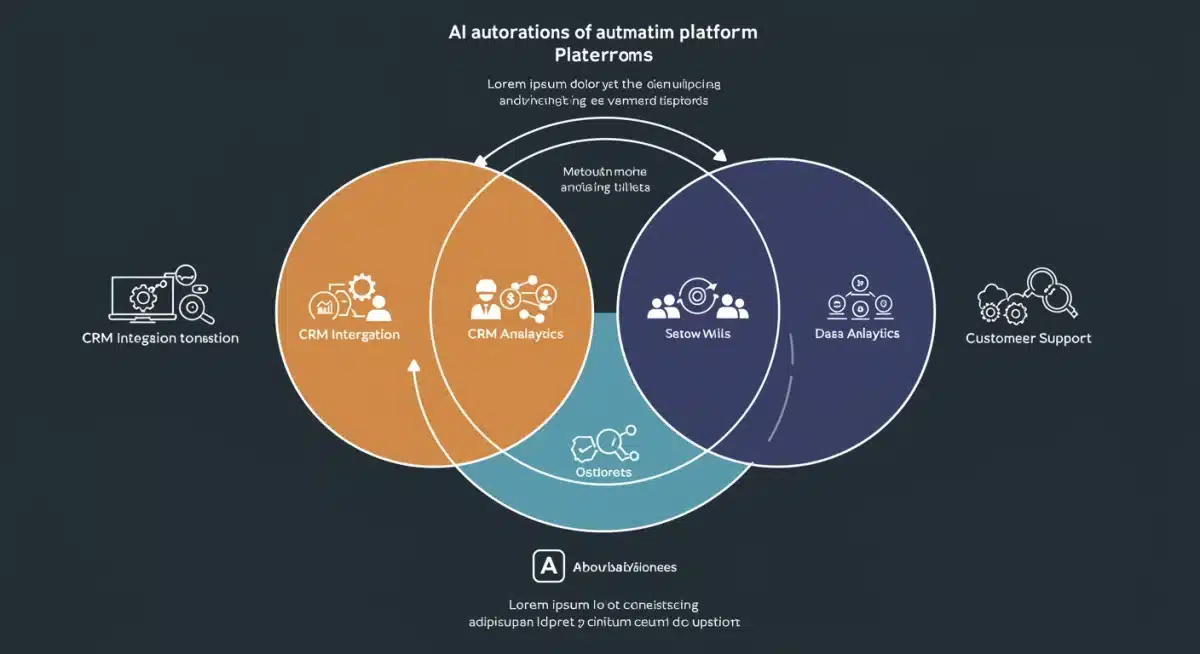
Top 3 AI Automation Tools for US Small Businesses: 2025 Comparison
This article provides a comprehensive comparison of the top 3 AI automation tools for US small businesses in 2025, detailing their functionalities, advantages, and suitability to enhance operational efficiency and drive growth.
By: Eduarda Moura on September 25, 2025
Last updated on: November 28, 2025
The top three AI automation tools for US small businesses in 2025, including HubSpot Operations Hub, Zapier, and UiPath, offer distinct capabilities in CRM, workflow integration, and robotic process automation to significantly enhance operational efficiency.
In the rapidly evolving landscape of 2025, small businesses in the US are increasingly turning to artificial intelligence to streamline operations, reduce costs, and gain a competitive edge. Understanding which AI automation tools are best suited for their unique needs can be a daunting task. This article delves into a comprehensive comparison of the top three AI automation tools poised to revolutionize how small businesses operate, providing insights to help you make an informed decision.
The AI Automation Imperative for Small Businesses
Small businesses often face resource constraints, making efficiency and productivity paramount. AI automation offers a powerful solution by taking over repetitive, time-consuming tasks, freeing up valuable human capital for more strategic initiatives. In 2025, the adoption of AI is no longer a luxury but a necessity for survival and growth in a competitive market.
The benefits extend beyond mere task automation. AI-powered tools can provide deeper insights into customer behavior, optimize marketing campaigns, and even enhance decision-making through advanced data analytics. For US small businesses, leveraging these technologies can mean the difference between stagnation and significant expansion.
Why AI is Crucial for Growth
AI’s ability to process vast amounts of data and execute complex tasks with minimal human intervention leads to remarkable improvements in various business functions. This translates directly into tangible benefits for small enterprises.
Increased Efficiency: Automates routine tasks, allowing employees to focus on high-value activities.
Cost Reduction: Minimizes operational expenses by optimizing workflows and reducing manual labor.
Enhanced Customer Experience: Provides personalized interactions and faster support through AI-driven chatbots and recommendation engines.
Data-Driven Decision Making: Offers actionable insights from complex data, guiding strategic business choices.
Understanding the fundamental shift that AI brings to the operational paradigm is the first step. It’s about empowering your team and your business to achieve more with less, ultimately fostering sustainable growth and resilience in a dynamic economic environment. The right AI automation tool can serve as a cornerstone for this transformation.
HubSpot Operations Hub: The CRM-Centric Powerhouse
HubSpot Operations Hub emerges as a formidable contender for small businesses prioritizing seamless CRM integration and operational efficiency. Designed to connect disparate systems and automate data cleanup, it ensures that your customer data is always accurate and accessible. This tool is particularly beneficial for businesses that already rely heavily on HubSpot’s CRM or are looking for a unified platform for sales, marketing, and customer service.
Its core strength lies in its ability to automate data syncing across different applications and cleanse customer records, eliminating manual errors and saving countless hours. For small businesses, this means less time spent on administrative tasks and more time engaging with customers and refining strategies.
Key Features and Benefits
HubSpot Operations Hub offers a suite of features tailored to optimize back-office operations and improve data integrity, which is crucial for effective customer relationship management.
Data Sync: Automatically synchronizes data between HubSpot and other business applications, ensuring consistency.
Data Quality Automation: Cleanses and formats data automatically, reducing errors and improving reliability.
Programmable Automation: Allows for custom workflow automation using JavaScript, catering to unique business processes.
The benefits are clear: a unified view of customer data, reduced manual effort, and the ability to scale operations without increasing headcount. For small businesses, this translates into improved customer satisfaction, more efficient sales cycles, and better-informed marketing decisions. The platform’s user-friendly interface also makes it accessible to teams without extensive technical expertise.
Zapier: The Integration Maestro
Zapier stands out as the ultimate integration maestro, connecting thousands of web applications to automate workflows across various platforms. For US small businesses, its strength lies in its versatility and ease of use, allowing non-technical users to build complex automations, known as ‘Zaps,’ without writing a single line of code. It’s the go-to solution for businesses that use a diverse array of software and need them to communicate seamlessly.
Imagine automatically saving email attachments to cloud storage, or instantly creating new tasks in your project management tool from incoming customer inquiries. Zapier makes these inter-app communications effortless, transforming disconnected processes into a cohesive, automated ecosystem. This flexibility is invaluable for small businesses with evolving tech stacks.
Unlocking Cross-Platform Automation
Zapier’s extensive app directory and intuitive interface empower small businesses to automate virtually any digital task that involves two or more applications. Its trigger-action logic is simple to grasp, yet powerful enough to handle sophisticated multi-step workflows.
Extensive App Integrations: Connects to over 5,000 web applications, offering unparalleled flexibility.
No-Code Automation: Enables users to create powerful workflows without any programming knowledge.
Multi-Step Zaps: Allows for complex automations involving multiple actions and conditional logic.
Filter and Formatter Steps: Provides tools to refine data before it moves between applications.
The ability to automate tasks across different software significantly boosts productivity and reduces the likelihood of human error. Small businesses can leverage Zapier to automate lead nurturing, customer support follow-ups, social media posting, and much more, thereby optimizing their digital operations and focusing on core business activities. Its scalability means it can grow with your business, adapting to new tools and processes as needed.
UiPath: Robotic Process Automation (RPA) for Scale
UiPath represents the pinnacle of Robotic Process Automation (RPA), offering robust solutions for automating repetitive, rule-based tasks that often consume a significant portion of a small business’s time. While traditionally associated with larger enterprises, UiPath has made strides in offering scalable solutions that are increasingly accessible to US small businesses looking to automate desktop-based processes and legacy system interactions.
Unlike API-based integrations that connect applications directly, UiPath’s software robots mimic human actions, interacting with user interfaces to perform tasks like data entry, invoice processing, and report generation. This makes it incredibly powerful for automating processes that lack direct API access or involve complex, multi-application workflows. For small businesses with specific, high-volume administrative tasks, UiPath can be a game-changer.
Deep Dive into RPA Capabilities
UiPath’s platform offers a comprehensive suite of tools for designing, deploying, and managing software robots. Its strengths lie in its ability to handle intricate, multi-step processes with precision and speed, far exceeding human capabilities for such tasks.
Studio for Development: A visual designer for creating automation workflows, catering to both developers and citizen developers.
Orchestrator for Management: Centralized platform for deploying, scheduling, and monitoring robots.
Attended and Unattended Bots: Robots that can work alongside humans or autonomously in the background.
AI Capabilities: Integrates with AI/ML models for intelligent document processing and decision-making.
Implementing UiPath can lead to significant improvements in operational efficiency, error reduction, and compliance. Small businesses can automate tasks such as onboarding new employees, processing customer orders, or managing inventory, thereby freeing up staff to focus on more creative and strategic work. While it may have a steeper learning curve than Zapier, the potential for profound operational transformation is substantial, especially for businesses with highly standardized, repetitive processes.
Comparative Analysis: Choosing the Right Tool
Selecting the ideal AI automation tool for your US small business in 2025 depends heavily on your specific needs, existing tech stack, and long-term objectives. Each of the top three contenders — HubSpot Operations Hub, Zapier, and UiPath — offers distinct advantages, making them suitable for different scenarios. A careful evaluation of their strengths against your business requirements is crucial for making an informed decision.
Consider the types of tasks you need to automate, the complexity of your current workflows, and your team’s technical proficiency. The right tool won’t just automate tasks; it will empower your business to operate smarter, faster, and more effectively.
Feature Set and Use Cases
Breaking down each tool’s primary focus helps in understanding where it excels:
HubSpot Operations Hub: Best for businesses deeply invested in CRM, seeking to automate data management, cleanup, and synchronize customer-related operations. Ideal for sales, marketing, and customer service teams.
Zapier: Perfect for businesses with a diverse array of web applications that need to communicate. It shines in connecting various SaaS tools to automate cross-platform workflows, requiring minimal technical expertise.
UiPath: Suited for businesses with highly repetitive, rule-based tasks that involve interacting with desktop applications or legacy systems. It’s powerful for large-scale data entry, report generation, and process execution that mimics human interaction.
While all three aim to enhance efficiency through automation, their methodologies and primary applications differ significantly. HubSpot focuses on data integrity and CRM fluidity, Zapier on broad inter-app connectivity, and UiPath on mimicking human actions for complex process execution. Your choice should align with the most pressing automation needs of your business.
Implementation Strategies and ROI for Small Businesses
Successfully integrating AI automation tools into a small business requires more than just selecting the right software; it demands a strategic approach to implementation and a clear understanding of the potential return on investment (ROI). For US small businesses, the goal is not just to automate, but to achieve measurable improvements in efficiency, cost savings, and overall business performance. Careful planning and phased adoption can maximize benefits while minimizing disruption.
Start with a clear identification of processes that are ripe for automation — typically those that are repetitive, rule-based, and consume significant manual effort. Documenting these processes thoroughly will provide a solid foundation for successful implementation.
Maximizing Your Automation Investment
To ensure a positive ROI, small businesses should focus on a few key areas during and after implementation:
Phased Rollout: Begin with small, manageable projects to demonstrate early success and build internal confidence.
Employee Training: Invest in training your team to effectively use and manage the new automation tools.
Continuous Monitoring: Regularly track the performance of automated processes and identify areas for optimization.
Scalability Planning: Choose tools that can grow with your business, accommodating future needs and increased automation demands.
The ROI from AI automation can manifest in various ways, including reduced operational costs, fewer errors, faster task completion, and improved employee morale as staff are freed from mundane tasks. For small businesses, this can directly translate into increased profitability and a stronger competitive position in the market. By carefully planning and executing your automation strategy, you can unlock the full potential of these transformative tools.
Key Tool
Primary Benefit for Small Business
HubSpot Operations Hub
Streamlines CRM data, automates data cleanup, and integrates sales/marketing operations.
Zapier
Connects 5,000+ apps for seamless cross-platform workflow automation without code.
UiPath
Automates repetitive desktop-based tasks and legacy system interactions with RPA.
Overall Impact
Increases efficiency, reduces costs, and enhances decision-making for growth.
Frequently Asked Questions About AI Automation
What is AI automation and why is it important for small businesses?▼
AI automation involves using artificial intelligence to perform repetitive tasks without human intervention. For small businesses, it’s crucial because it boosts efficiency, reduces operational costs, minimizes errors, and allows employees to focus on strategic, value-added activities, driving growth and competitiveness.
How do HubSpot Operations Hub, Zapier, and UiPath differ?▼
HubSpot Operations Hub focuses on CRM data automation and cleanup. Zapier excels in connecting numerous web applications for cross-platform workflows. UiPath specializes in Robotic Process Automation (RPA), mimicking human actions for desktop-based and legacy system task automation.
Which AI automation tool is best for a small business new to AI?▼
For small businesses new to AI, Zapier is often recommended due to its user-friendly, no-code interface and vast integration capabilities. It allows for quick implementation of automations across existing applications, providing immediate benefits without a steep learning curve.
Can AI automation really save money for small businesses?▼
Yes, absolutely. By automating routine tasks, small businesses can significantly reduce labor costs, minimize errors that lead to rework, and optimize resource allocation. This leads to substantial cost savings over time, contributing directly to the bottom line and improving profitability.
What are the first steps to implement AI automation in my small business?▼
Begin by identifying repetitive, time-consuming tasks. Research tools like HubSpot Operations Hub, Zapier, or UiPath that align with these needs. Start with a small pilot project to test the chosen tool, measure its impact, and then gradually scale automation across your operations.
Conclusion
The landscape of 2025 presents unprecedented opportunities for US small businesses to harness the power of AI automation. By carefully evaluating the strengths of tools like HubSpot Operations Hub, Zapier, and UiPath, businesses can select the solution that best aligns with their operational needs and strategic goals. Whether it’s streamlining CRM processes, connecting disparate applications, or automating complex desktop tasks, the right AI automation tool can be a transformative asset. The journey towards greater efficiency and growth begins with an informed decision and a commitment to embracing the future of business operations.
Eduarda Moura has a degree in Journalism and a postgraduate degree in Digital Media. With experience as a copywriter, Eduarda strives to research and produce informative content, bringing clear and precise information to the reader.